Kongmap is a free visualization tool which allows you to view and declaratively edit configurations of
your Kong API Gateway Clusters, including Routes, Services, and Plugins/Policies. The tool is
available for installation on Docker and Kubernetes only at this time.
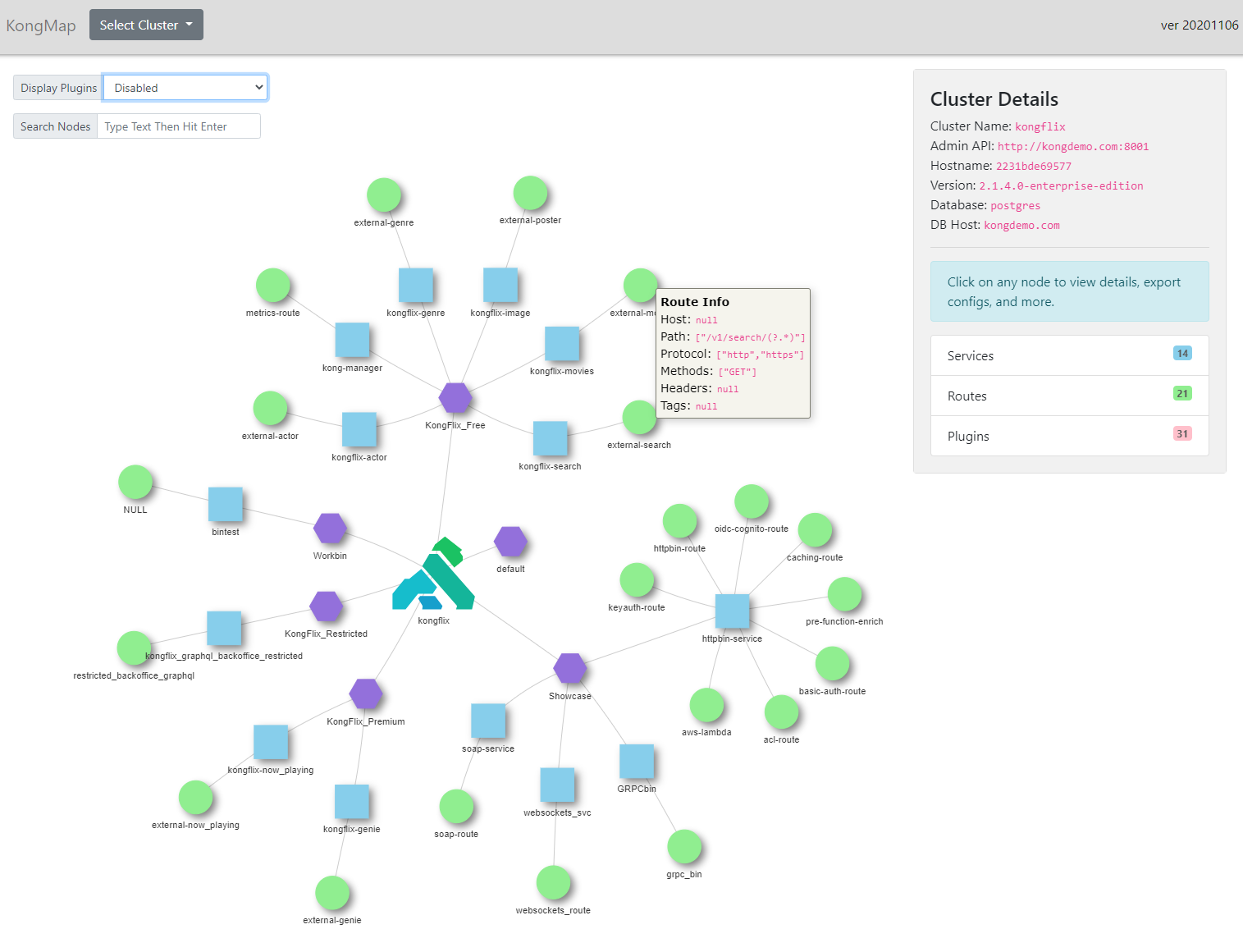
Allows an admin to view a dynamic map of their Kong API Gateway clusters and visually see relationships between
Workspaces (for Kong Enterprise), Services, Routes (Endpoints), and Plugins (Policies). Cluster view can also
be used to see configuration of the proxy plane of your Kong for Kubernetes Ingress Controller. Clicking on any
entity displays details of the entity and related links. Plugins can be toggled from view.
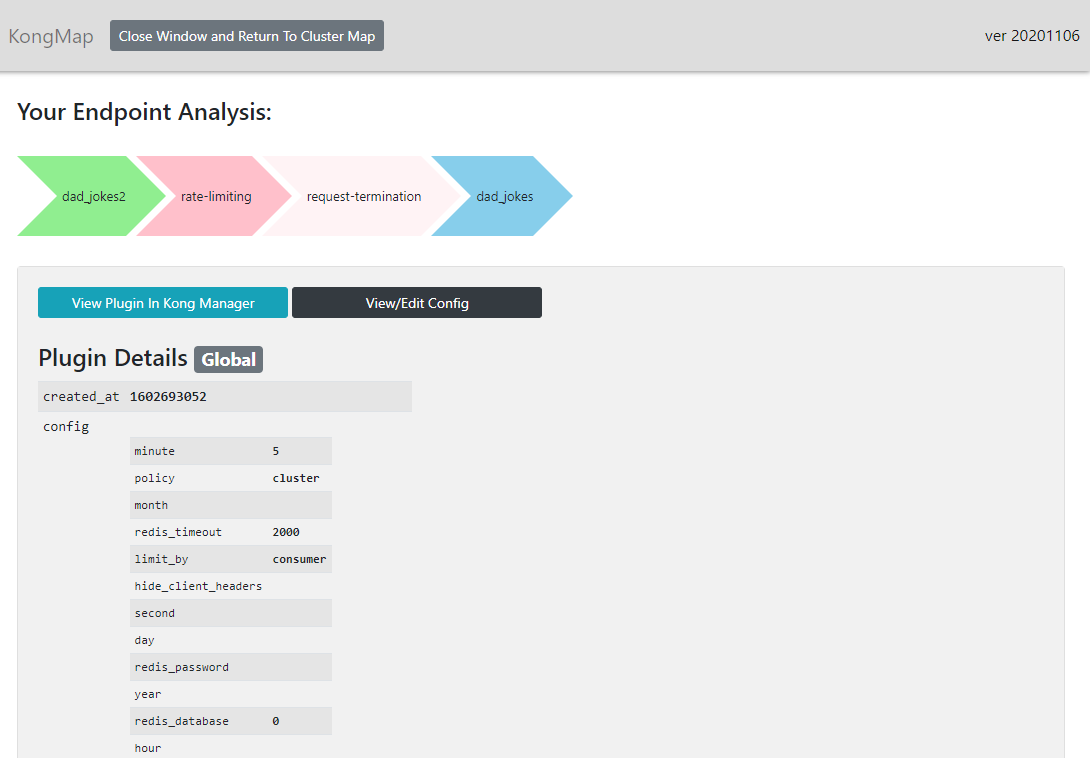
Endpoint Analyzer
View details of an API Endpoint (Route). The analyzer shows the Service attached to the endpoint/route as well as provides
a breakdown of all plugins/policies in order of execution attached to the route/endpoint. For Kong Enterprise users,
all entities can be viewed directly via a link to Kong Manager.
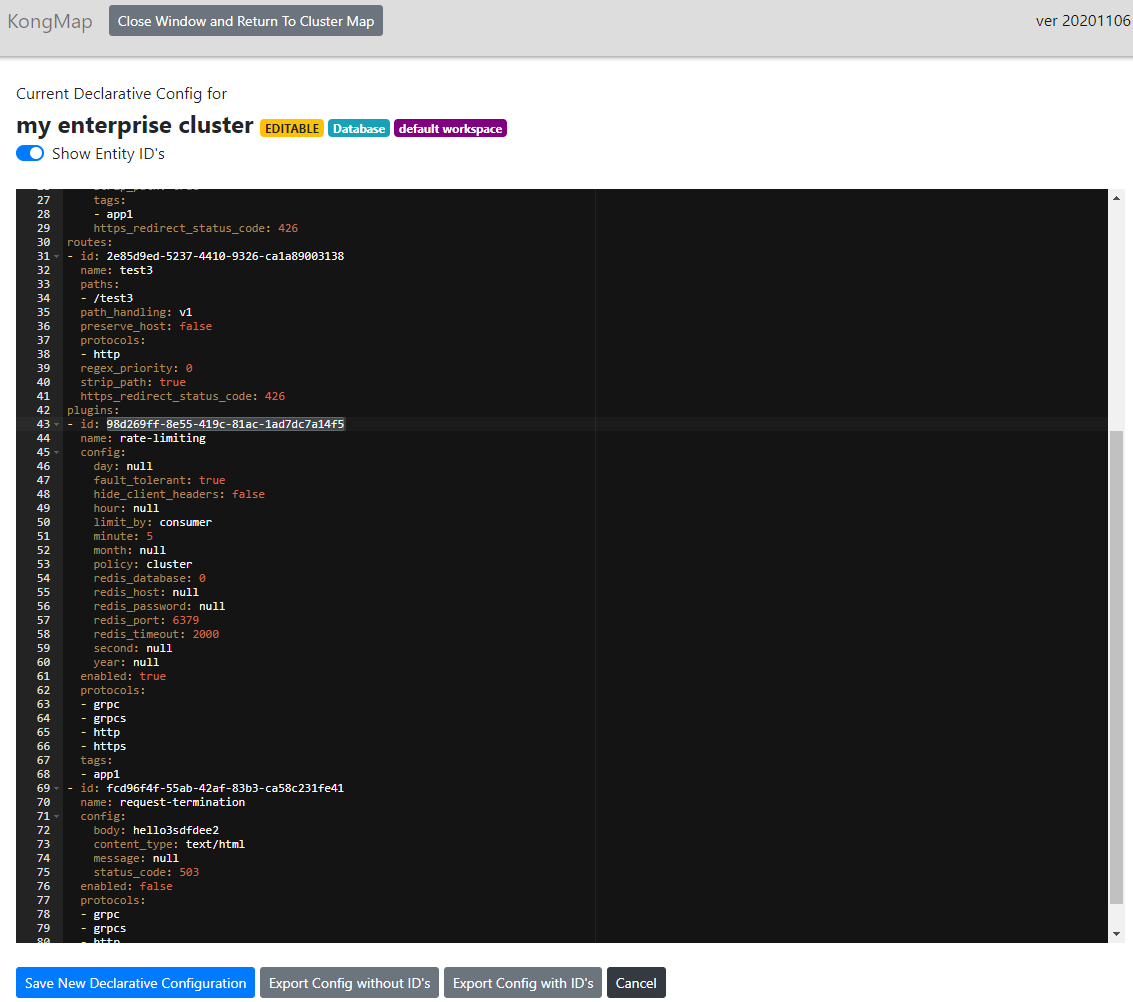
Declarative Configuration Viewer/Editor
KongMap is deployed with a browser based implementation of Kong’s CLI tool, decK. Here you can view, edit, and export Kong declarative configurations for your open source
and Enterprise clusters via YAML. Configurations can easily be copied and pasted from one Kong cluster to another or between workspaces. Declarative
configuration editing can be disabled by KongMap configuration, or managed via RBAC permissions if using Kong Enterprise.
Compatibility
KongMap supports both Kong Open Source and Kong Enterprise Clusters greater than version 1.3 and supports both DB and Non-DB (dbless) Kong configurations.
KongMap also supports Kong for Kubernetes Ingress Controller versions greater than 0.5 (In Kong for Kubernetes,
the Ingress Controller’s proxy container must have its Admin API exposed in some fashion.)
Thats super neat, I was pondering awhile ago how maybe I could write a UI that would parse and help modify changes to a declarative config easily but use like a github style source repo for my yaml file and branch+pr model under the hood with a pipeline that would help deploy those changes out there to real-time nodes while having that nice git history and revision history in place. This applies it directly to a given Kong node via deck sounds like but gives me ideas .
That is a very helpful tool in my opinion, I have installed it on top of docker, and I intend to deploy it on Kubernetes and I have difficulties including kong-map demolishing env admin api, but kong above kubernetes doesn’t have it, is there a solution for that?
I have tried deploying kong-map as a pod in one namespace of kubernetes.
I intend to configure kongmap behind kong with basic auth enabled to it.
Before i enable the basic auth plugin i have added kongmap svc and a route to the kong-admin , below are the configurations -
_format_version: "1.1"
consumers:
- basicauth_credentials:
  - password: <pwdforkongmap>
    username: kongmap
  custom_id: kongmap
  username: kongmap
services:
- connect_timeout: 60000
  host: kongmap-svc.kong.svc.cluster.local
  name: kongmapsvc
  path: /             // I have tried different path as well like /0 , /$ etc...
  port: 80         // changed the access port to 80 in k8s svc object. Able to access kongmap via ELB
  protocol: http
  read_timeout: 60000
  retries: 5
  routes:
  - https_redirect_status_code: 426
    name: kongmaproute
    path_handling: v1
    paths:
    - /0,/$                // I have tried different paths as well like  /0 , /$ , /kongmap , /  etc...
    preserve_host: true              // also tried disabling and enabling in combination with strip_path
    protocols:
    - http
    - https
    regex_priority: 1
    request_buffering: true
    response_buffering: true
    strip_path: false       // also tried disabling and enabling in combination with preserve_host
  write_timeout: 60000
When i try to access my kongmap via kong-proxy endpoint …
i am getting {"message":"no Route matched with those values"}
And since the url of kongmap changes dynamically on Ui access to different internal routes -
like /0 or /deck/edit/0/0 on edit configs… How do we configure this dynamically in kong end for routes and svc.
Could you please help me on what i am actually missing here…
 .
.